
Forty-Two Design System
Helping busy teams build beautiful, accessible sites—without extra effort.
Goal: Lower the barrier to accessible, high-quality digital communication
Outcome: A growing number of internal teams using the theme to launch websites that are fast, inclusive, and easy to maintain
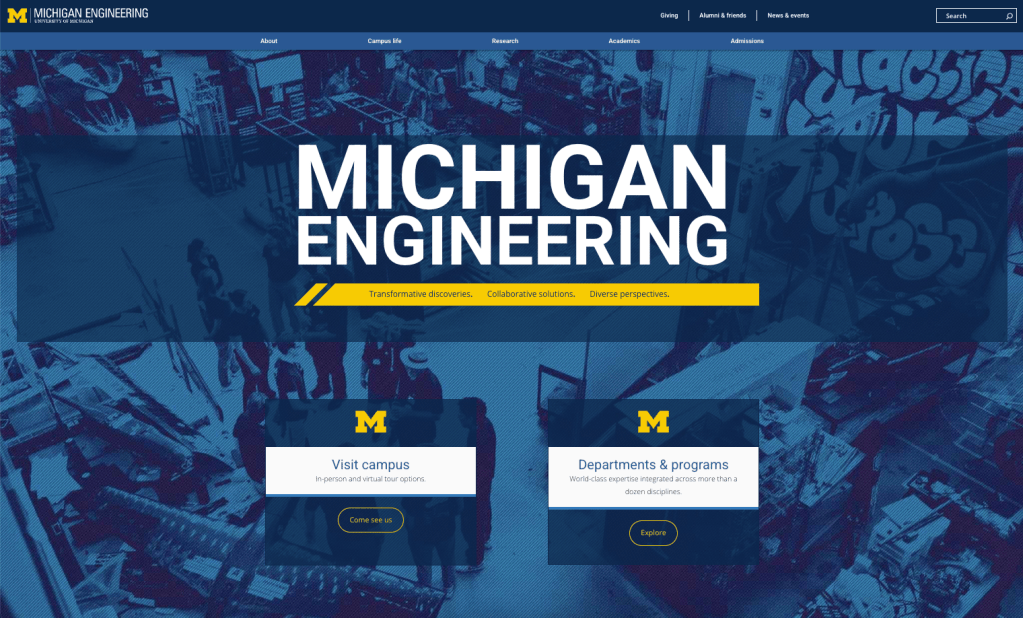
At the University of Michigan College of Engineering, I led the UX and accessibility work for a WordPress theme and design system for high-profile college websites. The theme prioritizes the needs of internal partners, many of whom have limited time, resources, or web expertise, but still need a website that looks good, works well, and meets accessibility standards.
From day one, we built this theme with accessibility and UX at the core:
- A dyslexia-friendly typeface was selected to support more readable text for a wider range of users.
- Color palette guidance was developed to help ensure sufficient contrast and consistent visual accessibility across sites.
- We provided clear documentation and content patterns that made it easy for site owners to build and maintain accessible layouts—without needing to be accessibility experts or designers themselves.
We continue to refine the system, testing and improving features, integrating new WordPress capabilities as they come online and working with stakeholders to ensure the system meets their needs. The result is a flexible, accessible framework that empowers teams to create effective digital experiences with confidence and consistency.
10-Week Accessibility Challenge
Empowering hundreds of people to build accessibility into their everyday work—one email at a time.
Goal: Make accessibility approachable and practical for everyday creators
My role: Co-design, content development, email campaign structure, live session expansion
Impact: 2,500+ (and counting) participants across all U-M campuses; growing accessibility awareness and action
The 10-Week Accessibility Challenge is a friendly, low-barrier email series designed to introduce core digital accessibility concepts in a simple, engaging, and empowering way. Each weekly message focuses on one common accessibility issue—defining it clearly, explaining its impact (particularly in a university context), and providing practical guidance on how to identify and fix it. Every email also includes curated links to relevant university resources, so participants can dig deeper if they choose.
I was part of the core team that designed and piloted the initial challenge at the College of Engineering. Thanks to its success and enthusiastic reception, we began offering it every semester—and eventually expanded the program to the entire University of Michigan Ann Arbor campus, and later to U-M Flint and Dearborn as well.
Once the email-challenge was established, our small team of cross-university collaborators created a weekly live Zoom session where participants could ask questions and explore topics in more detail. We also developed a follow-up Course Accessibility Challenge to help faculty prepare for upcoming ADA-related changes in higher ed.
This completely voluntary, grassroots initiative has been absorbed into the University’s office of Equity, Civil Rights & Title IX, where it continues to help people build confidence and competence in digital accessibility—creating meaningful, scalable change across the university.
“I learned every single week. The
challenge was really helpful in making the
learning experience bite-size and
digestible.”
–Linda LaNoue, CRLT-Engin
iGym inclusive playspace
Making play accessible to all kids—through research and inclusive technology.
Goal: Create an interactive, inclusive play experience that removes barriers to physical gaming
My role: Research design, participant recruitment, testing facilitation, and experience interviews
Impact: Media recognition and academic publication, with feedback from real families shaping future iterations
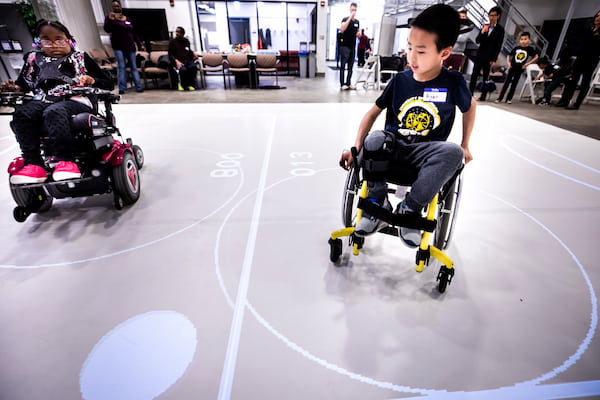
iGym is an interactive, physical playspace designed to allow children with mobility disabilities to play active games alongside peers with or without disabilities. As part of the iGym research team, I helped explore how technology can create more inclusive, shared play experiences for all children.
My role focused on user research and field testing. I recruited families of children with and without disabilities, helped facilitate testing sessions, and conducted in-depth interviews with participants to understand how the experience impacted them —what worked, what didn’t, and how it could improve. We used this feedback to shape refinements to the system and to inform future development.
The project was featured in a Michigan News video, and received regional media attention. Our team’s research paper, “iGYM: An Interactive Floor Projection System for Inclusive Exergame Environments” received a Best Paper Award at CHI Play ’19.
Accessibility First Aid Kit
Making accessibility action-oriented—and a little less overwhelming.
Goal: Give people just enough guidance to take meaningful accessibility action
Outcome: A widely used internal resource that helps teams make informed, accessible choices in their daily work
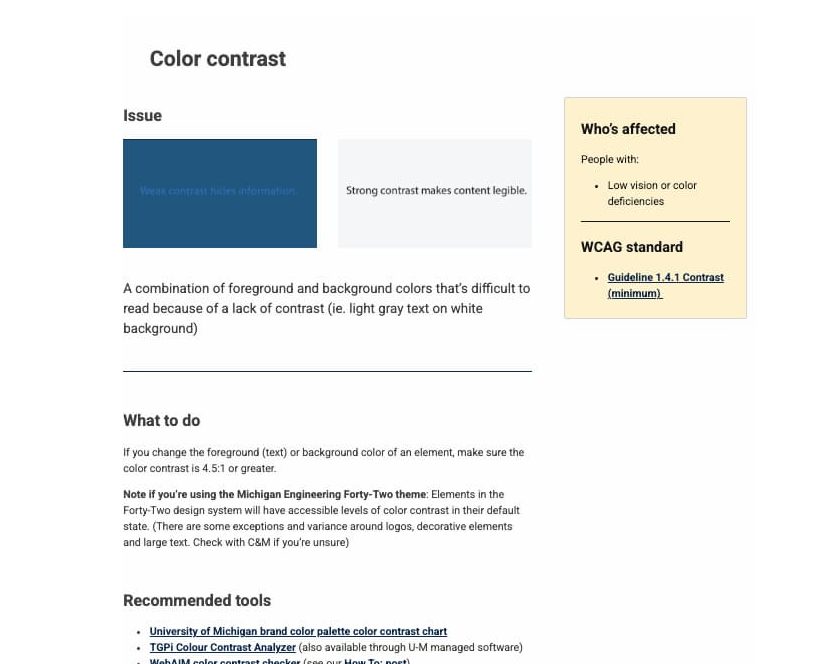
As part of the University of Michigan College of Engineering’s accessibility initiative, I led the creation of the Accessibility First Aid Kit—a practical, quick-reference web-based tool designed to help people identify and fix some of the most common digital accessibility issues on their websites.
Inspired by the WebAIM Million report, which highlights the most frequent accessibility barriers on the web, the First Aid Kit tackles high-impact issues like missing alt text, low contrast, link text, and more.
Each topic is structured to make accessibility easier to understand and act on:
- What’s the issue? A short, plain-language explanation
- Who’s affected? Real-world context about the users impacted
- WCAG reference: A direct link to the relevant success criteria
- How to check: A checklist-style section for self-auditing
- What to do: Simple, prioritized guidance for remediation
- Resources: A curated set of 3 helpful, reliable links—no overwhelm, just what you need to move forward
The goal is to help anyone—from content editors to developers—spot problems and fix them quickly, without digging through dense documentation or getting lost in Google. It’s a lightweight, empowering tool designed for real-world constraints.
 Amy Whitesall Consulting LLC